Introducing Pestle Pantry
Pestle Pantry makes shopping list organisation even easier
Hey everyone! Welcome back to Pestle Bites! Today's newsletter is about a great new feature that's just been released.
Introducing Pestle Pantry
Using the Pantry with Pestle is a great way to keep your Shopping List clutter free.
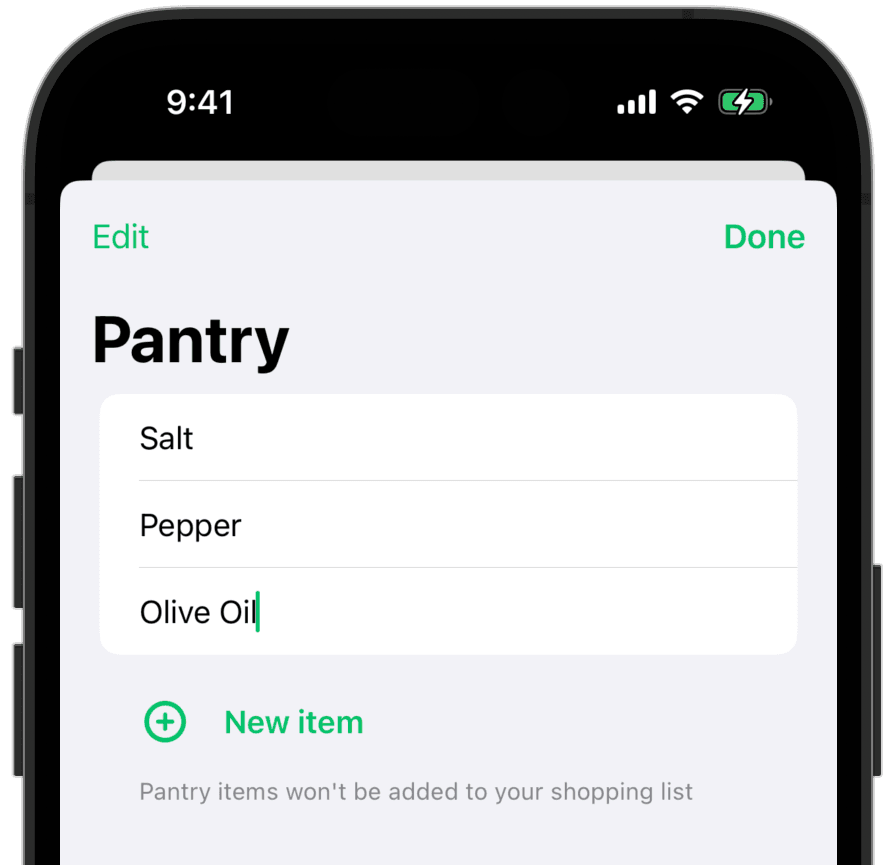
Lots of recipes call for ingredients that you're likely to already have in your pantry. Things like Salt, Pepper, Olive Oil, etc.
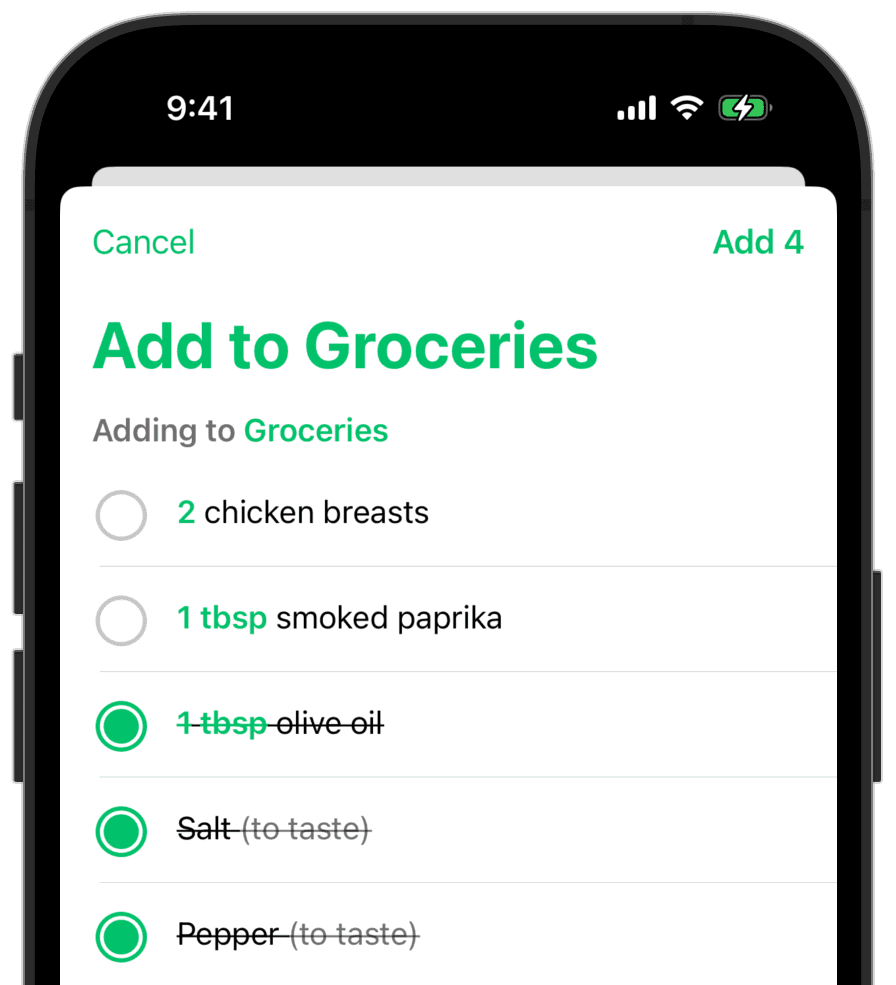
Add these items to your pantry, and when adding recipes or meal plans to your Shopping List, these items will be crossed out by default. Tap them if you'd like to keep them in the list.
How to use Pestle Pantry
1. Tap the 'Shopping List' tab in Pestle
2. Tap Pantry in the top left
3. Tap 'New Item'
4. Enter items like "Salt" or "Olive Oil"
Now when you add recipes to your Shopping List, your pantry items will be checked off by default.
Pestle Pantry is available for everyone today.
For power users
But it doesn't stop there. Pestle Pantry is available for everyone, but for the Pestle Pro subscribers out there, there are some great extras!
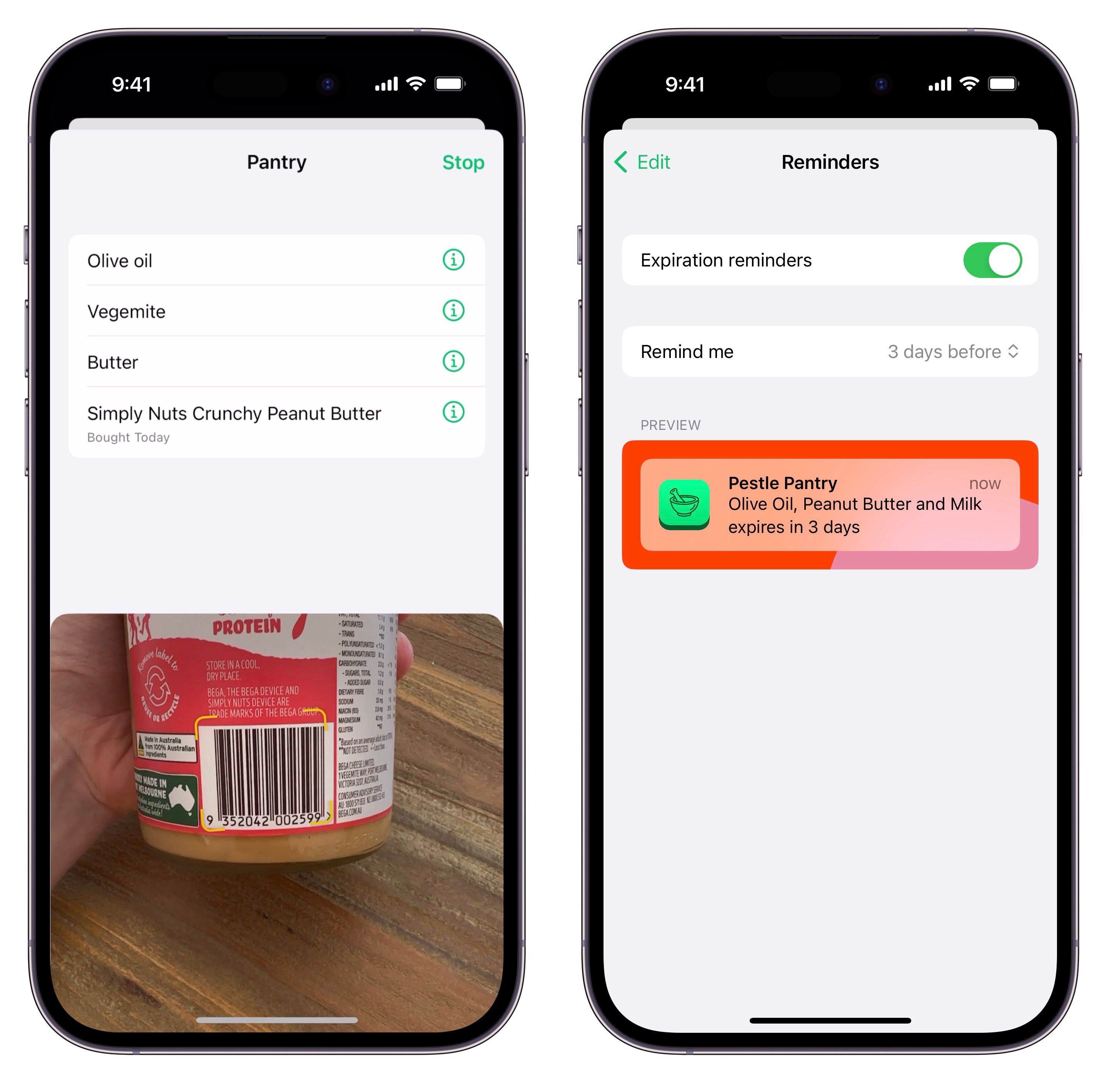
Barcode Scanner & Expiry Notifications
Scan items in your pantry (or as you shop!) and we'll automatically add these items to your pantry. Then take it a step further by adding an expiry date, and we'll remind you when things are about to expire!
That's it for this one! I hope you love the new features! Don't for get to tag @pestlechef on Instagram with your creations, I'd love to see what you make.